Yes, we provide copiers, printers, MFPs and office equipment to companies throughout the United States, and that has made us the nation’s largest independent dealer of brands such as Konica Minolta, Kyocera, Canon, Ricoh and HP. But we’re also leading developers of office technologies moving our customers further into the cutting-edge worlds of mobile, digital and cloud document management. We develop our own management software and hardware, providing industry-leading solutions from our own in-house R&D lab. And we’re committed to protecting the environment, going so far as to manufacture our own toner cartridges in-house in environmentally-friendly ways.
But most importantly, we’ve built our company on the proposition that we donate a full 1/3 of our profits to charities, educational initiatives and sports programs that truly enhance the lives of people in the communities we serve.
So take a look at DEX Imaging and you might be surprised at the depth and quality of the company and services we provide.
QUICK SERVICE:
Why DEX Imaging?
Quite simply, we help businesses do business better.

Our Featured Products
As an independent dealer we're free to choose the best printers, copiers and software from the world's top manufacturers of document and imaging equipment. Here are a few of our selections.

DEX Imaging Insights
Inside information to help you do business better from our industry-leading DEXperts

Mastering Copier Efficiency: Understanding and Maintaining the Waste Toner Container
on 19 Apr, 2024
In the fast-moving environment of most modern offices, copiers and printers are often taken for granted during daily operations. While most users are familiar with paper jams and ink cartridge replacements, the...
Read More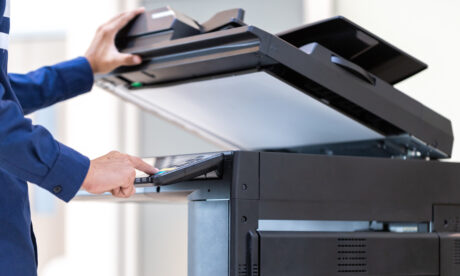
Mastering Copier Efficiency: Understanding the Role of the Drum Roller in Creating High-Quality Pages
on 12 Apr, 2024
The drum roller, often simply referred to as the “drum” in the context of modern office copiers, plays a pivotal role in the printing process, ensuring that documents are reproduced with clarity...
Read More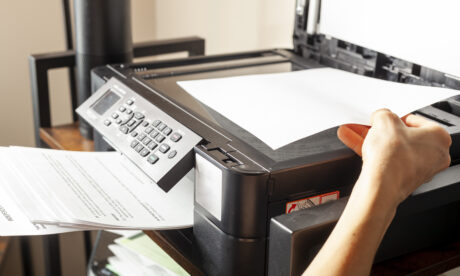
Boost Your Print Quality: Enhancing the Output of Your Office Printer and Copier
on 05 Apr, 2024
Poor print quality can be a significant frustration in any office environment, affecting everything from internal documents to client presentations. Whether it’s streaks, smudges, faded text or imperfect images, subpar prints can...
Read More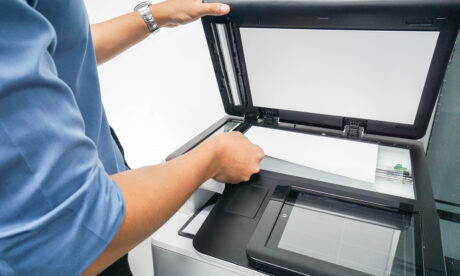
Ensuring Copier Security: A Crucial Step in Data Protection
on 29 Mar, 2024
With an ever-increasing reliance on storage brought on by digital infrastructure, data security has become paramount for businesses of all sizes. While most organizations focus on securing their computers and servers, a...
Read More
Creating a Sustainable Printing Strategy for Your Business
on 22 Mar, 2024
In today’s environmentally conscious world, businesses are increasingly seeking ways to reduce their carbon footprint and contribute positively to the planet. One significant but often overlooked area is their printing practices. Developing...
Read More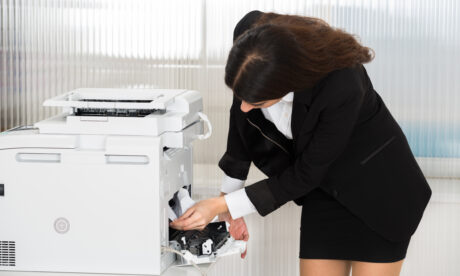
How to Prevent and Fix Paper Jams in Your Printer or Copier
on 15 Mar, 2024
Paper jams are one of the most common and frustrating issues encountered with printers and copiers. Not only do they halt your work, but they can also lead to wasted time and...
Read More
Automate the Production of Professional Business Documents with Folding and Stapling Accessories
on 08 Mar, 2024
The integration of add-on folding and stapling accessories with office printers represents a significant leap in automating and streamlining the production of high-volume document outputs. These accessories are especially invaluable when it...
Read More
Mastering Envelope Printing: A Comprehensive Guide
on 01 Mar, 2024
Printing envelopes can be a daunting task for many, especially when aiming for a professional look for business correspondence, invitations, or announcements. The key to success lies in understanding the right techniques,...
Read More
The Cost-Saving Benefits of Managed Print Solutions for Businesses
on 23 Feb, 2024
Operational efficiency and cost control are two key methods to staying competitive in an ever-evolving business landscape. One area often overlooked but ripe for optimization is print management. Managed Print Solutions (MPS)...
Read More
Determining Accurate Monthly Page Count for Business Printers and Copiers
on 16 Feb, 2024
Determining the accurate monthly page count for a business printer or copier is crucial for several reasons: it helps in managing printing costs, ensuring the efficient use of resources, and helps you...
Read More
Our service person yesterday was professional and did a thorough job like I have never seen done in the 5 years I have been here. My request is to always have this rep when we need service. He was outstanding.
We've been very appreciative to have DEX work with us and sponsor our event over the years. First rate company!
I wanted to express how pleased we were with the service received from your technician. He has serviced our machine several times. He is always such a pleasure to encounter in addition to being very knowledgeable, effective and efficient at what he does.
SIMPLIFY YOUR DOCUMENT INFRASTRUCTURE AND SAVE - DO BUSINESS BETTER!
Compare Us to Doing It Yourself
DEX offers affordable alternatives to big-box stores and online retail for all of your copy, print, and document imaging needs.
Total Cost of Ownership








There's more to us than just copiers
You Don't Know DEX
Find out more about the ways we're working to make our communities better.